This guide shows you how to purchase and configure a Sensitivity Explorer license in four easy steps.
Step 1: Purchase a License Key
To purchase a new license, visit the Polished Analytics page: https://www.polishedanalytics.com/pricing
You will be offered the choice of which edition of the software you would like to purchase, and whether you prefer a monthly or annual subscription. After selection you will be taken to Polished Analytic online store. Polished Analytics uses FastSpring, our authorized software reseller.
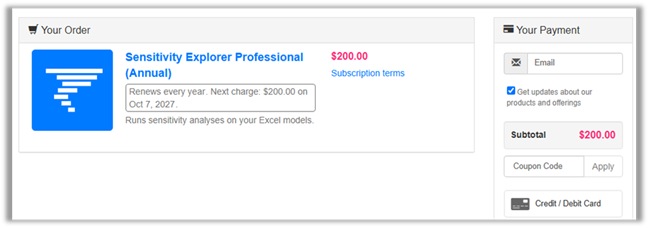
After entering your email address and payment information, you will be given a license code which you can use to activate your license. (You will also receive this same code in an email with this information as well as a download link.)
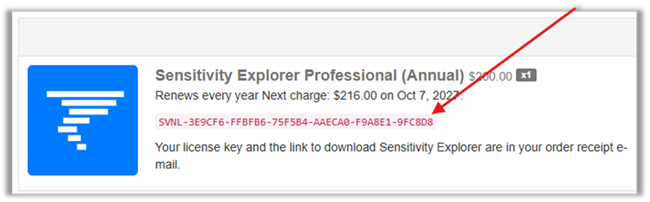
Step 2: Install Sensitivity Explorer
The next step is to install the software. If you have already installed a trial version, there is no need to reinstall. The installer can be found here: https://www.polishedanalytics.com/download. After downloading the installer, run it, and follow the instructions on the screen.
Step 3: Launch Sensitivity Explorer
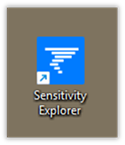
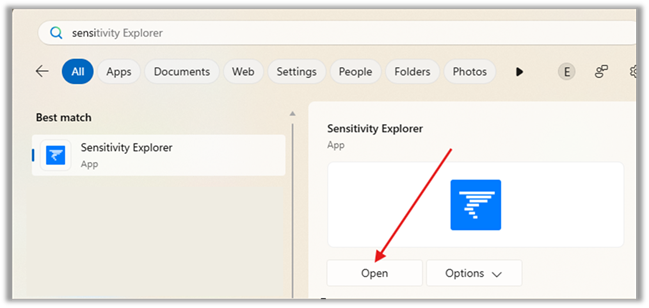
Once the product is installed, you can run it from either the icon the installer created on your desktop or by choosing the Sensitivity Explorer App from Window’s Start Menu:
Step 4: Setup the License
The final step is to configure the software to use the license key you purchase.
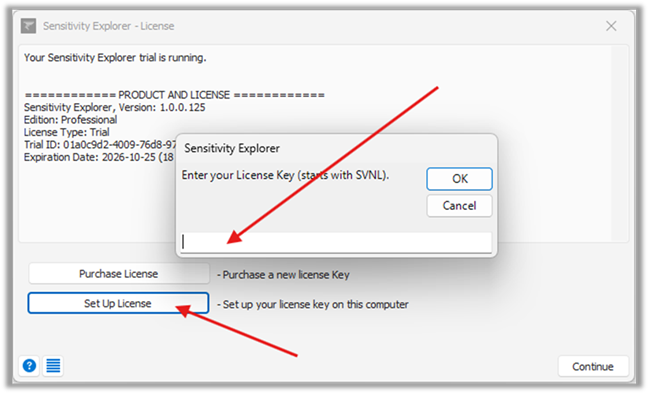
When you start the software without previously having entered a license key, it will start as a trial version. Click the “Set Up License” button and copy your key when prompted.
Related Topics
Was this article helpful?
That’s Great!
Thank you for your feedback
Sorry! We couldn't be helpful
Thank you for your feedback
Feedback sent
We appreciate your effort and will try to fix the article